AI-assisted drafting
Start from a short trip brief while keeping a travel professional in control of the final plan.
Travel itinerary software for agencies
Itiner gives travel agencies a structured workflow for turning a client brief into a day-by-day trip plan, checking the details, applying agency branding, and sending one current version to the client.
No credit card required. AI assists with drafts; nothing reaches a client until your agency turns sharing on.
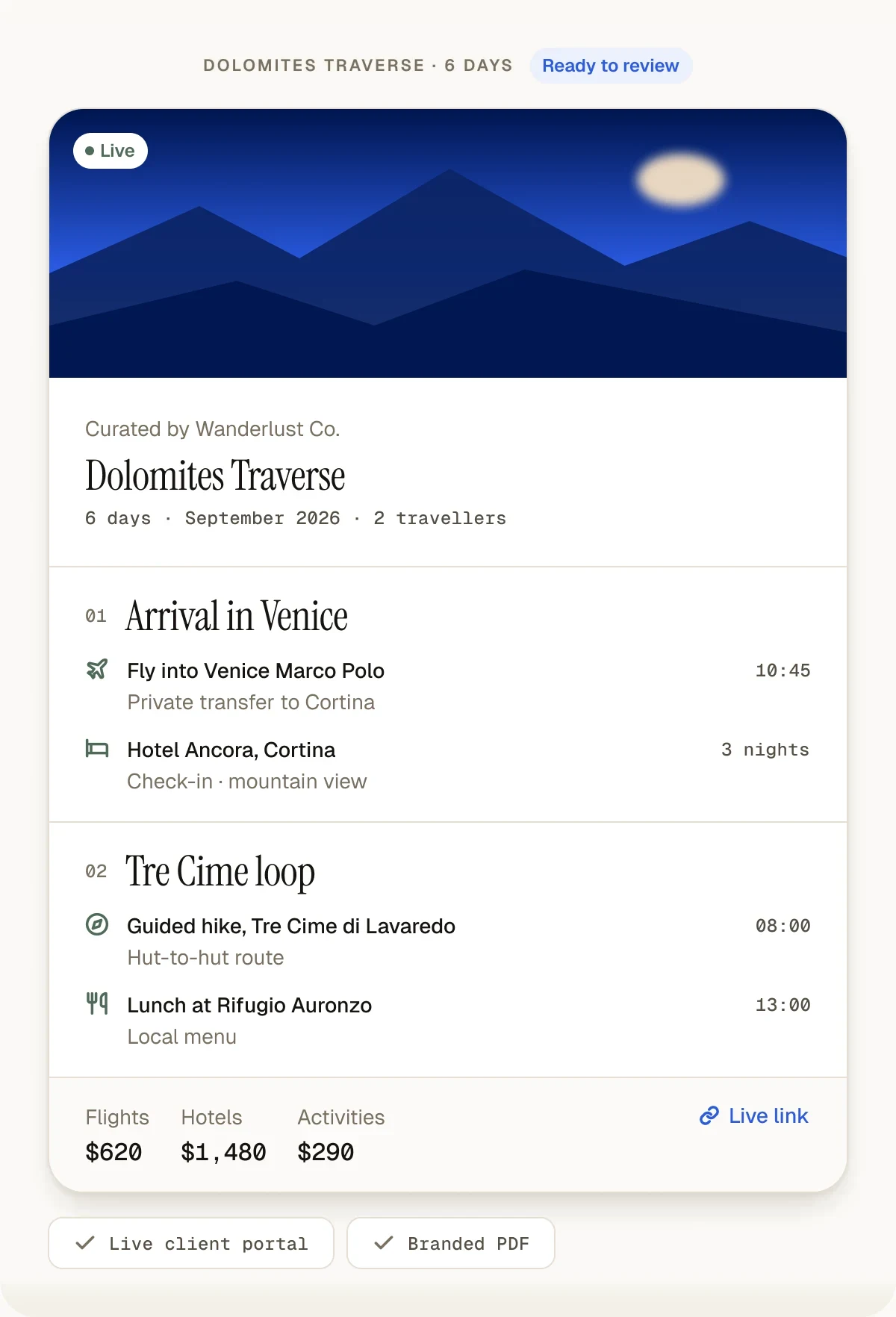
The agency workflow
Itiner is designed around the work an agency already does. The software reduces blank-page drafting, repetitive formatting, and version confusion. It does not remove the checks that make an itinerary safe, realistic, and personal.
Capture the brief
Record destination, dates, travelers, pace, budget context, and client preferences.
Create a first draft
Use AI assistance or a reusable template to build a structured day-by-day starting point.
Review every detail
Your team checks routing, timings, suppliers, inclusions, and whether the plan fits the client.
Apply your presentation
Keep the itinerary consistent and add your agency identity for client-facing delivery.
Share one current version
Send a live portal or branded PDF, then update the source itinerary when plans change.
Core capabilities
Choosing a category
The names overlap, and vendors use them loosely. Here is how they are usually meant, so you can compare like with like.
Working in India? See itinerary software for Indian travel agents for rupee quotes with GST, UPI deposits and DMC PDF import, or start a supplier quote import and price the trip with travel quotation software.
Workflow comparison
A design tool can make a beautiful PDF, and a general AI assistant can produce text. Neither provides a persistent agency workflow for editing, reusing, branding, and sharing the same itinerary.
| Capability | Itiner | Docs + design files | Generic AI chat |
|---|---|---|---|
| Structured day-by-day editing | Included | Manual layout | Prompt output |
| Reusable agency templates | Included | Copy old files | Manual prompt library |
| Live client itinerary | Included | Not native | Not native |
| Branded PDF delivery | Included on paid plans | Manual export | Requires another tool |
| Updates after sharing | Update one source | Create and resend a file | Regenerate and reformat |
| Human review | Built into the workflow | Fully manual | Must be added by the user |
Frequently asked questions
These answers describe Itiner's current role in the agency stack, including where human review and other systems still matter.
Travel itinerary software gives a travel agency one structured place to build day-by-day trip plans, review them, reuse past work, and deliver the final itinerary to a client. Instead of a Word file or Canva design, each trip is stored as days, stops, hotels, transfers and notes, so the same trip can be shown as a live client link and a branded PDF without retyping. Modern tools like Itiner add an AI first draft from a short brief, reusable templates for repeat destinations, priced quote options the client can accept, and a shared workspace for the team. The main gain is version control: a change made once, such as a swapped hotel, shows up everywhere the trip is shared, instead of producing another final_v3.pdf.
Itiner is built for travel businesses that plan custom trips for paying clients: independent travel agents, small and mid-sized agencies, destination management companies (DMCs), boutique tour operators and luxury travel advisors. Typical teams have one to twenty agents and currently assemble each itinerary in Google Docs, Canva or spreadsheets, then handle revisions over WhatsApp and email. Itiner suits agencies in India especially well, with rupee pricing, GST and TCS on quotes, UPI deposits and Hindi voice briefs, but it works for agencies anywhere. It is not built for travellers planning their own holidays, or for large corporate travel management companies that need booking engines, approval chains and expense integrations.
Itiner plans the first draft automatically but does not book anything. From a brief, it drafts a day-by-day itinerary with real places in a few minutes, or builds the days from a supplier's PDF quote. A travel professional then reviews the route, timings, suppliers, availability, pricing and client fit, edits what needs changing, and decides when to publish. Bookings stay with the agency's own suppliers, DMCs and booking tools; Itiner can import existing GDS bookings (Travelport and Sabre, in beta) into a trip, but it does not hold inventory, take payment for travel products or issue tickets. That split is deliberate: the agent stays accountable for what the client receives.
Yes. Agencies can add their identity to client-facing itinerary output and branded PDF exports. Branding availability depends on the selected plan.
The agency publishes the trip as a live client portal: one branded link that opens in any browser or phone, with no app and no client login. The portal shows the day-by-day plan, destination photos, a route map, weather forecasts during the trip, shared travel documents such as tickets and vouchers, and, if the agency adds them, priced quote options the client can accept and a UPI deposit request. When the agency changes something, the same link shows the update straight away. For clients who want an offline copy or a printout, the agency exports a branded PDF from the same trip, so the portal and the PDF never disagree.
Yes. Teams can save reusable templates for destinations and common trip structures, then adapt them to a new client instead of starting from a blank page.
No. Itiner focuses on itinerary creation, presentation, client delivery, templates, and team workflow. It includes lightweight client records, quote options with GST and TCS that a client can accept, UPI deposits paid direct to the agency, and a CSV export for the agency's accountant. It is not a full CRM, accounting platform, live inventory system, or booking engine.
Yes. Upload the supplier's PDF quote, or paste its text, and Itiner reads the hotels, transfers, and activities it describes onto the right days. Supplier prices are never extracted or shown to the client, and AI drafting can then fill in the remaining free time.
Yes. Itiner has a free plan with no credit card required. Agencies can also use the public demo to see the itinerary workflow before creating an account.
Yes. Itiner connects to Claude, Claude Code, Cursor and VS Code, and to ChatGPT on supported paid plans, through its remote MCP server. An agent can ask the AI app to create, edit, re-plan or publish an itinerary, and the trip is saved in the agency's Itiner account with its client portal link and PDF export, so the team still reviews everything in one place. The AI app cannot delete trips or see prices, passports, or client contact details. Setup guide: itiner.in/ai-assistants.
Keep reading
Start on the free plan
Start on the free plan, review the workflow with your team, and upgrade only when you need more trips, seats, branding, or AI generations.
Create Your First Itinerary free: a 14-day trial with Flex features, up to 15 trips, then the Free plan. No card needed.