Orientation
A clear title, destination, dates, travelers, and an easy way to understand the shape of the trip.
Client itinerary builder
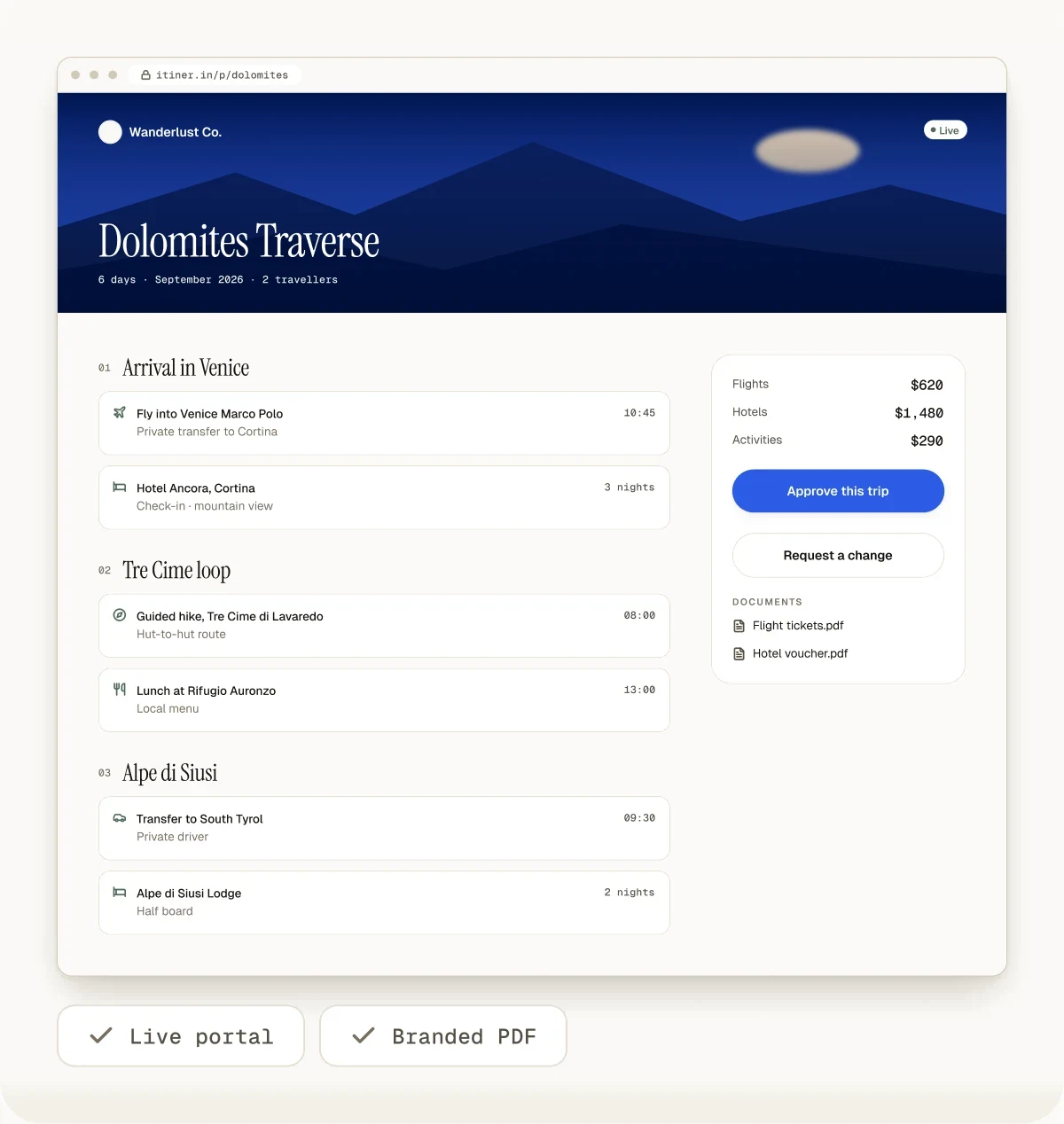
Build the day-by-day itinerary, review every detail, and deliver a live mobile portal plus an optional branded PDF without maintaining separate versions by hand.
Client-ready means usable
A polished layout is useful, but clarity matters more. The client should understand the order of the trip, find important details quickly, and know that the agency has reviewed the plan.
One source, two delivery formats
The formats are not interchangeable. Use each for the job it handles well, while keeping the reviewed itinerary as the agency's source.
| Decision | Live portal | Message thread | |
|---|---|---|---|
| Best for | Current mobile itinerary | Offline copy and printing | Short updates and conversation |
| After an agency edit | Shows the current published trip | Requires a new export | Old messages remain in the thread |
| Trip structure | Full day-by-day view | Full document snapshot | Fragmented unless manually summarized |
| Agency branding | Client-facing presentation | Branded export on eligible plans | Limited to profile and message style |
| Client account required | No | No | Messaging account usually required |
The agency workflow
Build the trip
Review the plan
Publish the portal
Export when needed
Update the source
Agency control
The agency decides when an itinerary is ready to publish and remains responsible for the accuracy of the client-facing plan. The portal does not verify supplier availability, quoted prices, entry requirements, safety, or whether an AI suggestion fits the traveler.
Because portal access is link-based, agencies should share the URL only with intended recipients and avoid unnecessary sensitive information.
Read the security modelFrequently asked questions
A client itinerary builder is software a travel professional uses to turn trip details into a clear, branded, day-by-day plan for a specific client, then deliver it. It sits between planning notes and what the client actually reads. In Itiner, an agent starts from a brief, a saved template or a supplier's PDF quote, reviews each day, adds the agency's logo and colours, and publishes a live client portal or exports a PDF. Because the trip stays structured, the agent can change one hotel and every copy the client sees updates, instead of rebuilding a document. The client gets something that looks professional; the agency keeps one source of truth.
A good client itinerary includes the trip dates and destinations, a plan for each day with approximate timings, where the client is staying each night, transfers and how they get between places, booked activities and anything that needs a confirmation number, meal plans if included, practical notes such as dress codes, weather and entry requirements, and the agency's contact details for emergencies. Before booking, a lighter version with options and prices works better; after booking, add tickets, vouchers and exact times. In Itiner, the portal can also hold the travel documents, a route map and weather forecasts, so the client has everything in one link.
Yes. An agency can publish a tokenized client portal link that opens in a browser without requiring the client to create an Itiner account.
No. The client portal is a read-only presentation of the itinerary, so the agency retains control of the source trip and final changes.
Send the portal as the main copy and the PDF as a backup. The portal is a live link that works on any phone, shows the current version after every change, and can carry quote acceptance, a UPI deposit request and travel documents. The PDF is a fixed snapshot that suits clients who want to print, travel without data, or forward a document to a visa office or employer. Itiner produces both from the same reviewed trip, so they always match at the moment of export. If the trip changes after a PDF was sent, export it again; the portal updates on its own.
The agency edits the source itinerary. The published portal reflects the current trip, while a previously downloaded PDF remains a snapshot and should be exported again when needed.
Yes. Branding features let eligible plans apply the agency identity to client-facing output and PDF exports.
Yes. Connect Itiner to Claude, or to ChatGPT on a supported paid plan, once, then ask for the trip and name the client. The AI app creates the itinerary in your Itiner account, edits any day with you, and when you ask it to publish, returns the branded client portal link to send. The client sees the same live portal as any other Itiner trip, and your team can still review and edit it in Itiner first.
Keep reading
Try it with a real trip
Use the free plan or public demo to judge the editor, portal, and PDF output with a representative trip.
Create Your First Itinerary free: a 14-day trial with Flex features, up to 15 trips, then the Free plan. No card needed.