Version confusion
Which file is current? v3, final, final_v14.
Why Itiner
Travel agencies use Itiner to draft better proposals, keep humans in control of the final plan, and deliver a cleaner client experience than Word, Docs, or manual PDF workflows.
“Can we swap Day 3?”
Before and after
Before Itiner
Seven handoffs, one very tired file name.
Docs and sheets
Canva
Revisions
final_v14.pdf
More revisions
With Itiner
One reviewed itinerary, everything follows.
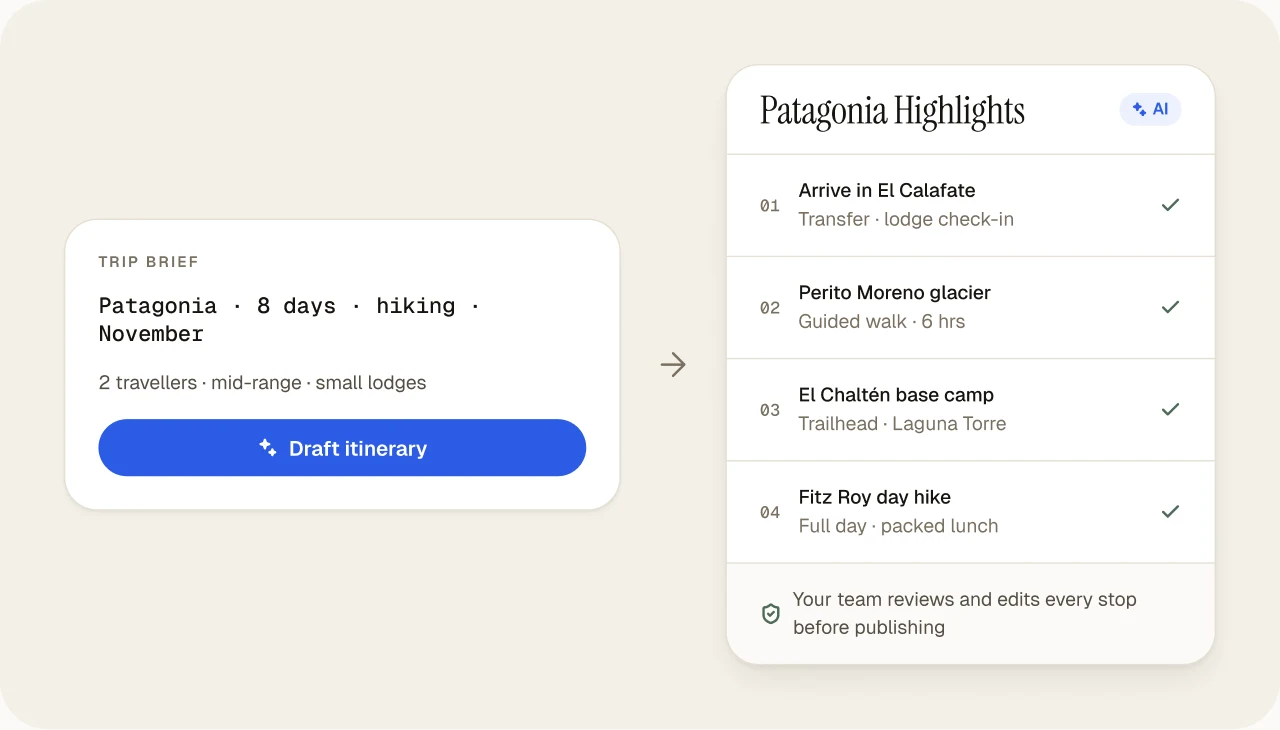
Brief
AI draft
Team review
Live itinerary
Client changes
Instant update
The PDF problem
Static PDF workflows create version confusion and duplicate work. PDFs are still useful for clients who want an offline copy. They just shouldn't be where the trip lives.
Keep the PDF. Change where the trip lives.
Branded PDF export stays available for clients who prefer an offline copy. It is generated from the same reviewed itinerary as the live portal.One source of truth
Change it once. The portal, the PDF and your team's workflow all follow.
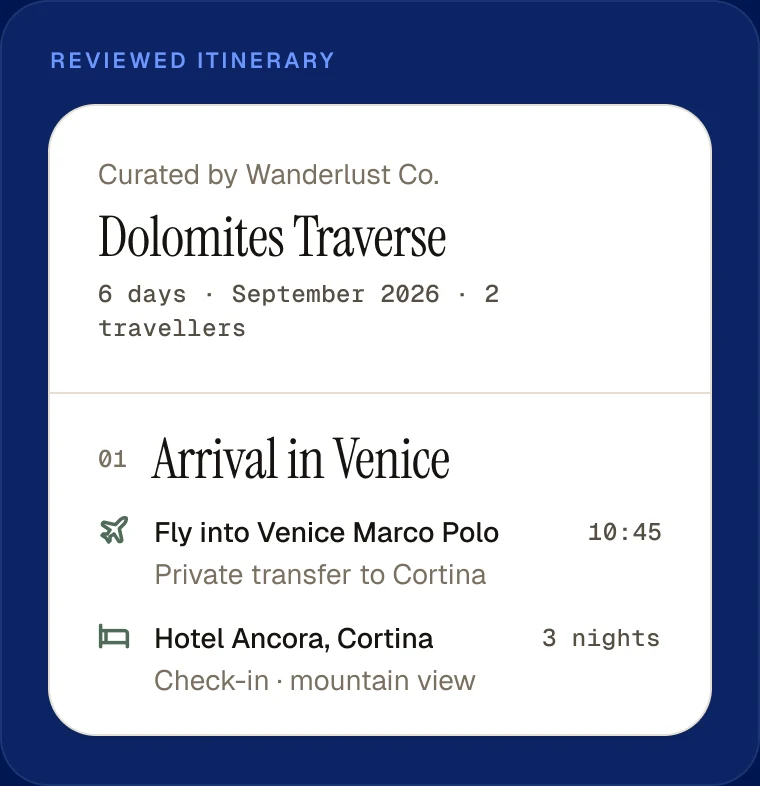
Live client portal
One branded link that always shows the latest version.
Branded PDF
An offline copy for clients who want one.
Team workflow
Every agent works from the same plan.
Client updates
A change is made once and reaches the client instantly.
Human + AI
Itiner isn't trying to replace the travel professional. AI creates the starting point; your team verifies, refines and approves every stop before a client sees it.
Works where you already plan
Agents paste chatbot itineraries into Docs and rebuild them by hand. Connect Itiner to ChatGPT, Claude, Cursor or VS Code, and the same request becomes a real, editable Itiner trip with a client link, reviewed by your team before it goes out.
ChatGPT · Claude · Cursor
Itiner connectedCreate a 6-day Bali honeymoon itinerary for the Iyer couple, premium budget, 10–15 November.
Used Itiner · Create itinerary
Done. Bali Honeymoon · 6 days is in your Itiner account, planned day by day with real places in Ubud, Nusa Penida and Seminyak.
Make day 3 more relaxed, then publish it.
Used Itiner · Edit a day, Publish
Day 3 is now a spa morning and a sunset beach dinner. Here is the client link:
itiner.in/portal/…
Frequently asked questions
Agencies choose Itiner because it turns a scattered process into one workflow. A typical trip used to move through WhatsApp, a Google Doc, a Canva layout, a PDF export and several rounds of revisions, each producing another file. With Itiner, the brief becomes an AI first draft, the team reviews and edits it in one place, and the client gets a single branded link that always shows the latest version, with a matching PDF when they want one. Agencies also reuse finished trips as templates, send priced options the client can accept with GST and TCS, take UPI deposits straight to their own bank account, and can even build trips from ChatGPT or Claude. There is a free plan, so a team can test it on real client trips first.
Word and Google Docs treat an itinerary as a page of formatted text, so every trip is laid out by hand and every change means editing and re-sending a file. Itiner treats it as structured travel data: days, stops, hotels, transfers, timings and notes. That structure is what lets Itiner draft a trip with AI, save it as a reusable template, publish it as a live client portal with maps and weather, export a branded PDF with no reformatting, and keep every copy in sync when the client asks to swap a hotel. Docs is still fine for notes and contracts; Itiner replaces it for the part agencies repeat dozens of times a month.
No. In Itiner, AI writes the first draft and the agent makes the trip. The draft gives the agent a complete day-by-day structure with real places to react to, which is faster than starting from a blank page. The agent then does the work clients value: checking that timings and transfers are realistic, choosing hotels they trust, adjusting for the client's ages and interests, adding real prices and supplier details, and deciding when it is ready. Nothing is shown to the client until the agent publishes it, and the agency's name and branding are on everything the client sees.
Yes. Instead of a chain of PDF attachments and WhatsApp messages, the client gets one branded link that works on any phone, with the day-by-day plan, photos, a route map, weather during the trip and their tickets and vouchers in the same place. If the agency offers priced options, the client compares them and accepts one in the portal, and can pay a deposit by UPI. When plans change, the link updates, so the client never travels with last week's version. Clients who prefer paper still get a branded PDF that matches the portal exactly.
Yes. Itiner connects to ChatGPT, Claude, Cursor and VS Code through MCP, the open standard AI apps use to work with other tools. After a two-minute setup you can ask your AI app to create a trip, change a day, or publish it, and the itinerary is saved in your Itiner account with a client portal link, so nothing is copied and pasted between a chat window and a document.
Make the switch
Free tier. No credit card. No expiry.