Route structure
Keep overnight stops, travel days, excursions, and free time in a sequence the traveler can follow.
For tour operators and DMCs
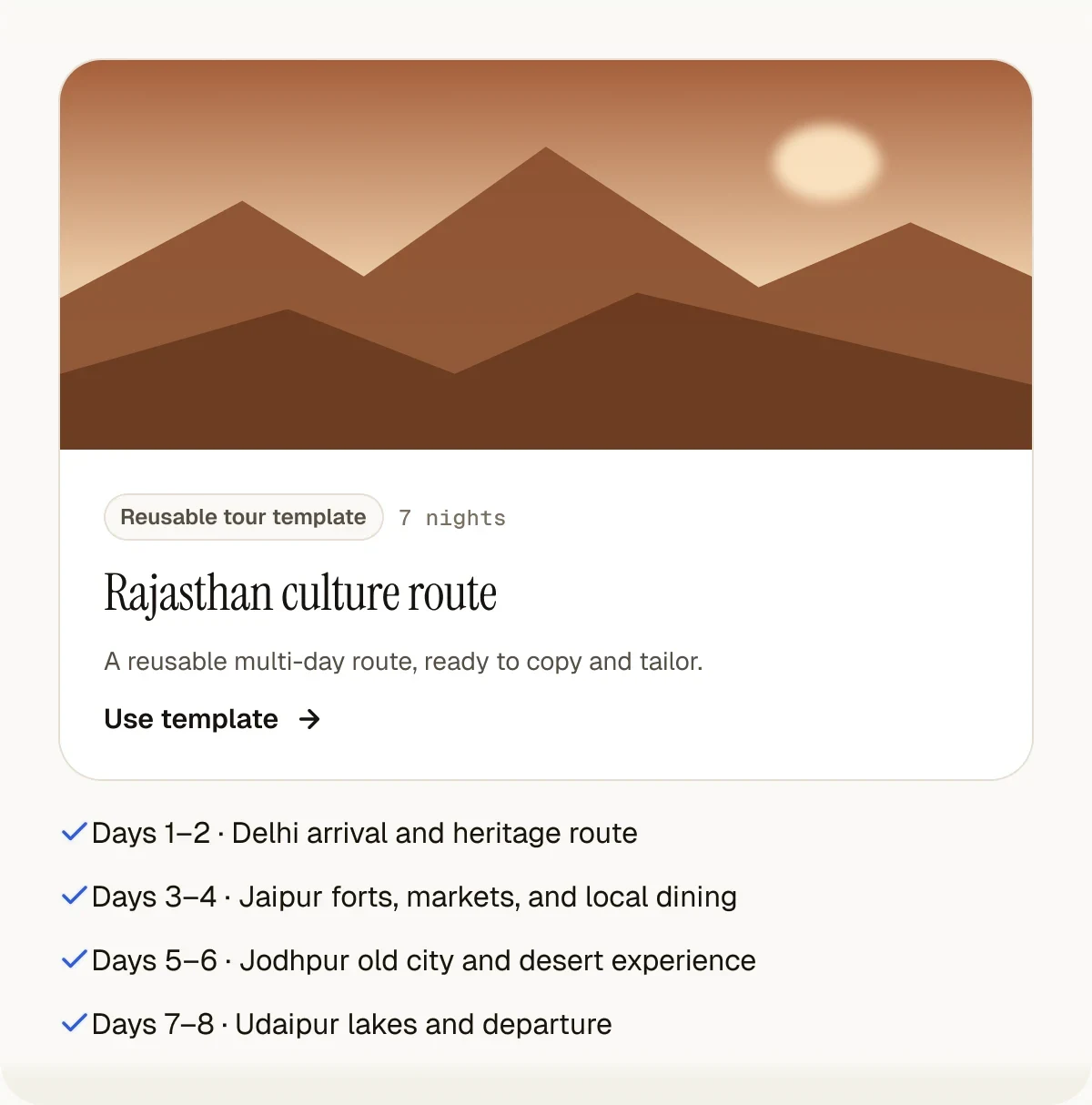
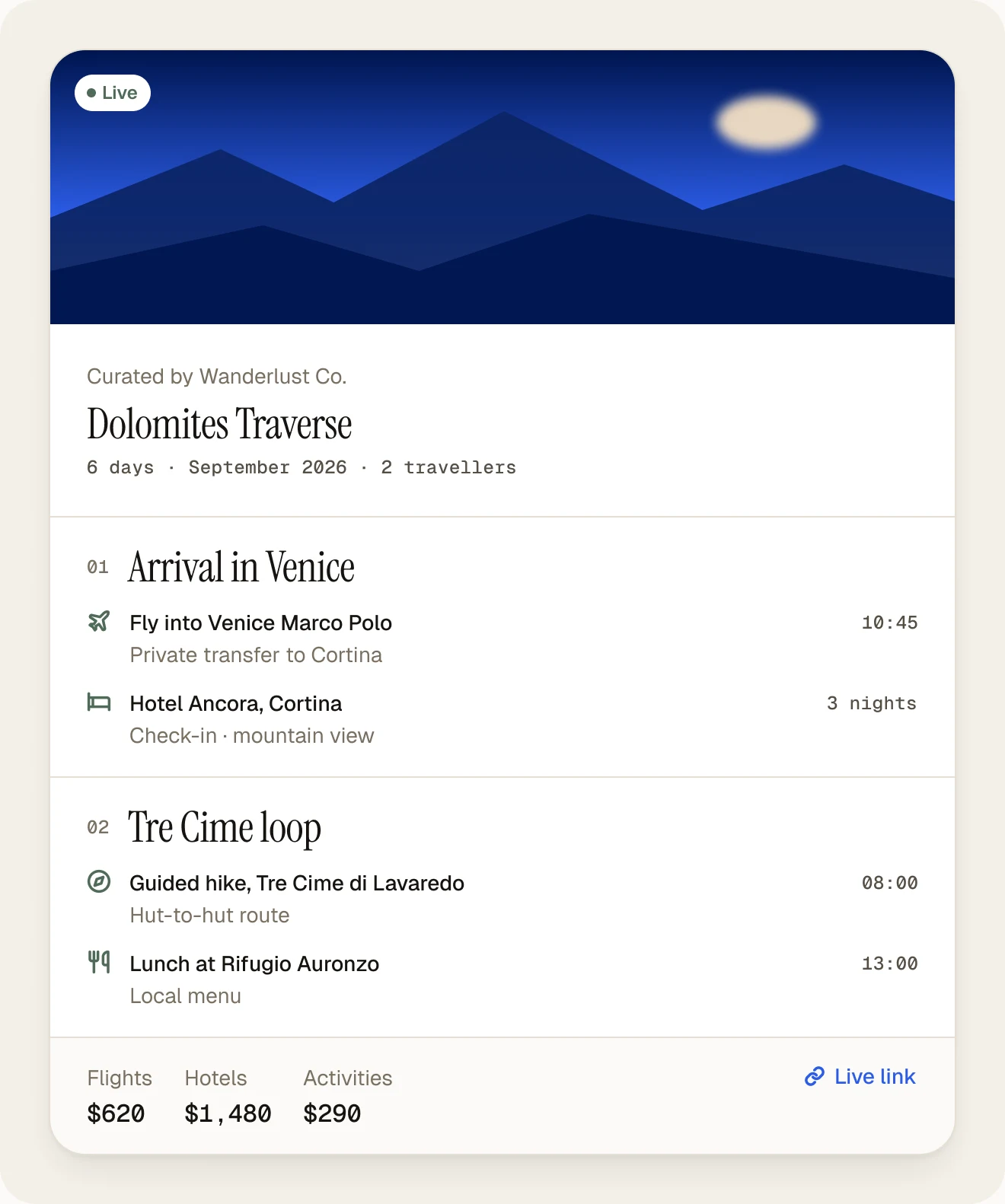
Create a reviewed route, save the structure as a team template, tailor it to the next client or departure, and deliver a live itinerary plus branded PDF.
Repeatable without becoming generic
The goal is not to send every traveler the same route. It is to preserve work the operator has already checked, then make the differences for this departure clear.
From route to client program
Build the master route
Save the reviewed structure
Adapt the departure
Complete operator checks
Deliver the program
Product fit
A focused itinerary tool and a tour back-office platform can complement each other. Define which system owns content, inventory, bookings, prices, and operations before the team adopts either.
| Capability | Itiner | Tour operations system | Document workflow |
|---|---|---|---|
| Day-by-day tour content | Primary role | Often limited | Manual document |
| Live supplier inventory | Not included | Primary role | Not included |
| Package costing | Not included | May be included | Manual calculation |
| Reusable itinerary templates | Included | Varies | Copy old file |
| Client portal and PDF | Included | Varies | PDF only |
| Booking and operations | Not included | Primary role | Not included |
Tour package builder is an ambiguous term
Itiner builds the itinerary content and client presentation. It does not calculate package margins, contract supplier inventory, hold client money (a UPI deposit goes straight to the agency), or confirm bookings. Operators should not treat the itinerary as proof of availability or price.Frequently asked questions
A tour itinerary builder helps a tour operator or DMC organize a multi-day route, accommodation, transport, activities, meals, inclusions, and practical notes into a consistent client-facing plan.
Yes. A reviewed destination or route can be saved as a reusable template, then adapted for a new departure, client, trip length, or set of preferences.
No. Itiner focuses on itinerary creation and delivery. It does not replace reservation systems, live supplier inventory, booking engines, accounting, or operations software.
No. Itiner can present trip and budget context, but it is not a package costing engine. Operators should calculate, verify, and approve prices in their existing commercial systems.
Yes. AI can create a structured starting point from a route and traveler brief. An operator must still verify travel times, suppliers, opening days, inclusions, prices, safety, and whether the daily pace is realistic.
Publish a browser-based client portal or export a branded PDF. Both formats come from the itinerary the operator has reviewed.
Yes. DMCs can use Itiner to structure destination programs and client-facing routes, while keeping supplier contracting, availability, costing, and operations in the systems responsible for those jobs.
Yes. Itiner's connector for Claude, and for ChatGPT on supported paid plans, lets an operator ask for a multi-day tour in chat and have it built in Itiner with Itiner's planner, then adjust single days, change dates for a new departure, or re-plan, without retyping into a separate tool. Each tour is saved as a normal Itiner trip, so it can become a template and be published as a live client link.
Keep reading
Use a route your team knows
Build it, copy it, change the departure, complete the operator checks, and inspect the client output.
Create Your First Itinerary free: a 14-day trial with Flex features, up to 15 trips, then the Free plan. No card needed.